
Contact Sales
← HOME

How to delete your Rollet account

Account Deletion
If you decide to delete your account, please note that this action is permanent and cannot be undone. Deleting your account will permanently remove the following data:

User settings:
All personal settings and preferences you have configured in your account will be permanently deleted.

Vehicle settings:
All information and settings related to your vehicles will be removed from our database.

Parking history:
All records of your previous parking activity, including dates, locations and durations, will be deleted.

Reservations:
All your active and past parking reservations will be deleted.

Parking passes:
All parking passes linked to your account will be invalidated and removed. Please note that we cannot refund previously purchased parking passes if you delete your account.

Virtual wallet:
Your virtual wallet balance and transaction history will be permanently deleted. Any remaining balance will be refunded to your currently active payment card. Please make sure you have a valid payment card linked to your account before deleting it.

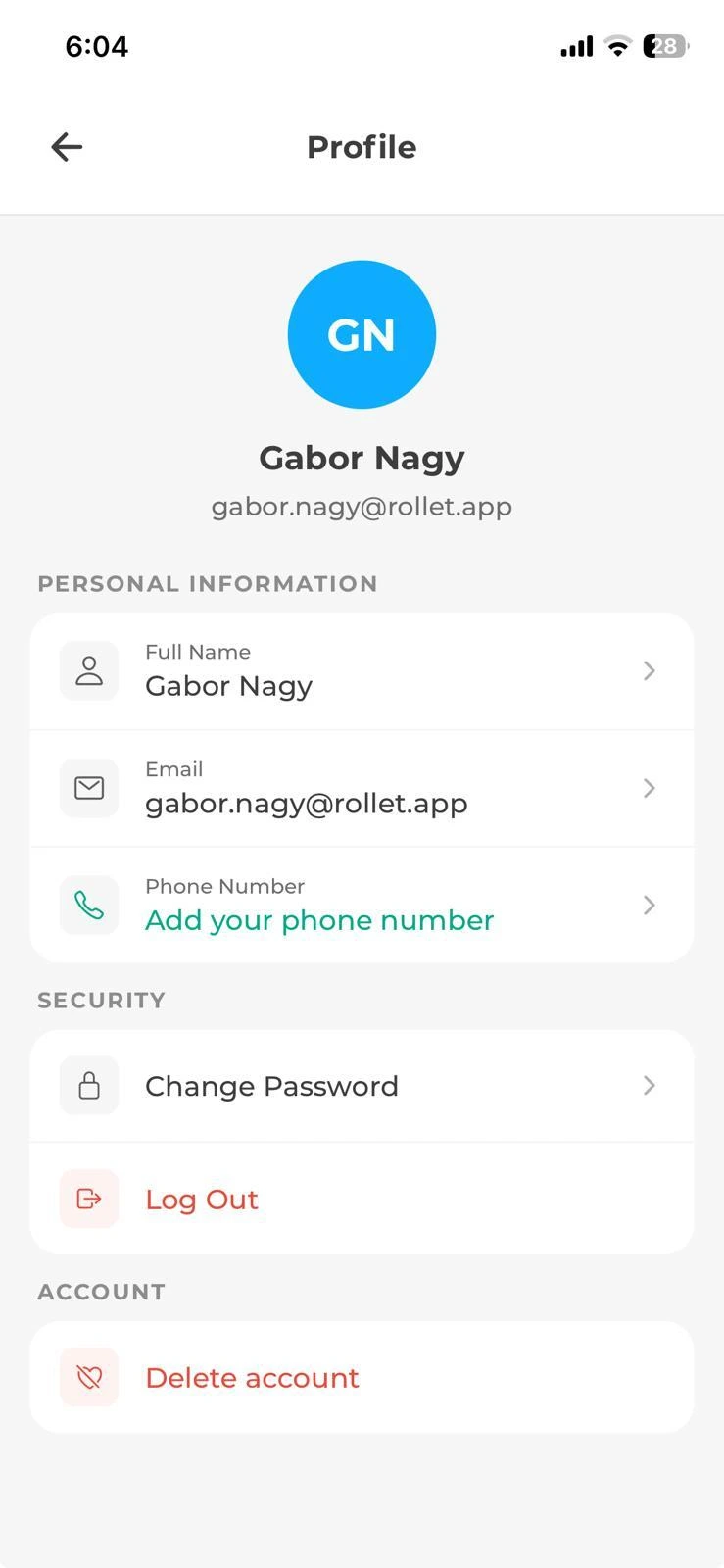
Through the mobile app

  1. Tap “Profile” in the bottom menu.

  2. Select “Delete account” in the “Profile” menu.

  3. Confirm the deletion.

  4. Your account and all associated data will be permanently deleted.
Need help?

If you have any questions or encounter any issues, please contact our customer support team.
apartmentsmartphonecross